 Nostreon
Derek Ross
September 27, 2026
Opal: Nostr in Your Omarchy Bar
There was no Nostr signer for the Linux desktop, so every app and script wanted my nsec. Opal is a small daemon and a gem in the Omarchy bar that keeps the key in the keyring, signs for apps under rules I set, and brings notifications and status along.
On my phone, Amber holds my Nostr key and signs for every app. In the browser, an extension does the same. On the Linux desktop there was nothing. Every desktop client, every script, every little tool I wrote wanted the nsec pasted into a config file, and each copy was one more place the key could leak from.
Notifications had the same shape of problem. To know someone replied or zapped me, I had to keep a client open in a browser tab all day.
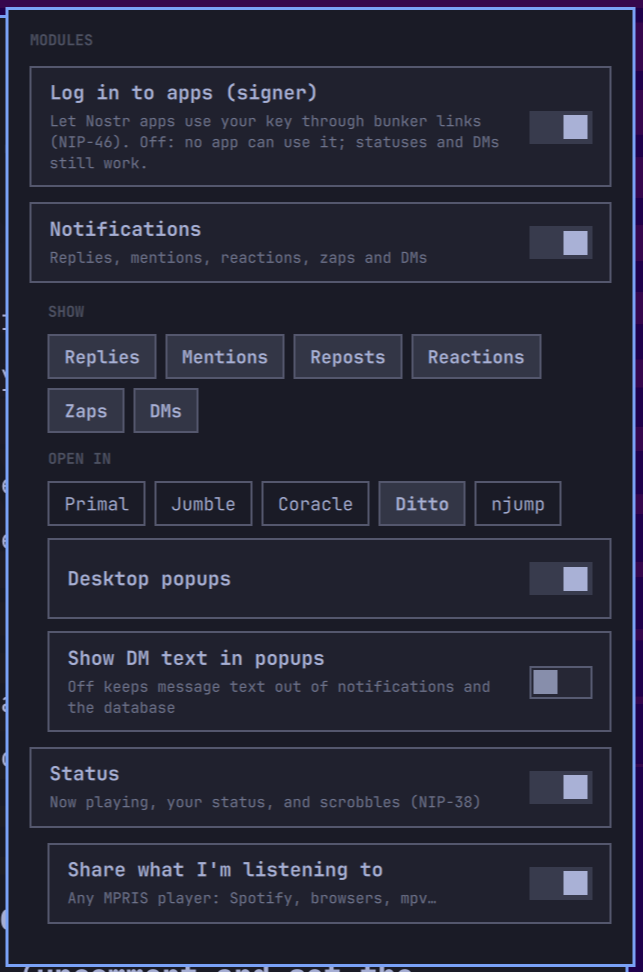
So I built Opal. It is one small daemon, one gem icon in the Omarchy bar, and three modules you switch on as you need them.

Signer
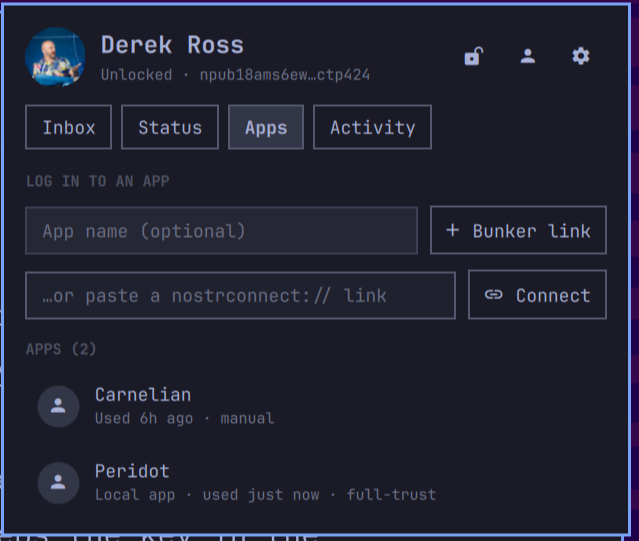
The signer is a NIP-46 bunker. Apps log in with a bunker link, a nostrconnect link, or a QR code from the panel, and my key never leaves Opal. Each app gets its own key on Opal's side, so an app does not learn my npub until it asks, and one app's relay cannot tie my other apps together.
Every app gets a policy. Basic signs everyday things like notes, reactions and reposts on its own. Ask prompts for everything. Trust signs it all. The approval dialog shows exactly what is about to be signed: the content, the key tags, and a warning if the date looks odd. I can remember an answer from once to always.
Some things always ask, whatever the policy: profile, follow list, relay list and mute list changes, deletions, Blossom and HTTP auth tokens, wallet events, and anything dated more than ten minutes from now. Those can be remembered for an hour at most. An activity log records what each app did and why it was allowed, and a kill switch stops answering every app at once.
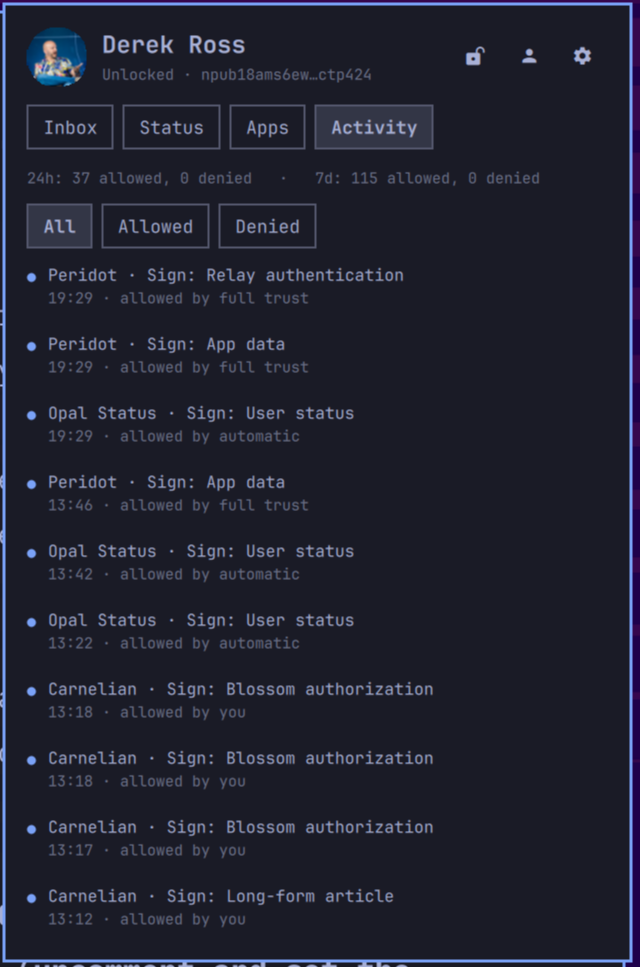
Programs on this computer can use the key too. Peridot pairs over a local socket instead of a relay, and the same dialog shows which program is asking, down to its systemd unit. It then lives under Apps with the same policies and log as a remote app, and can be revoked there.
Notifications
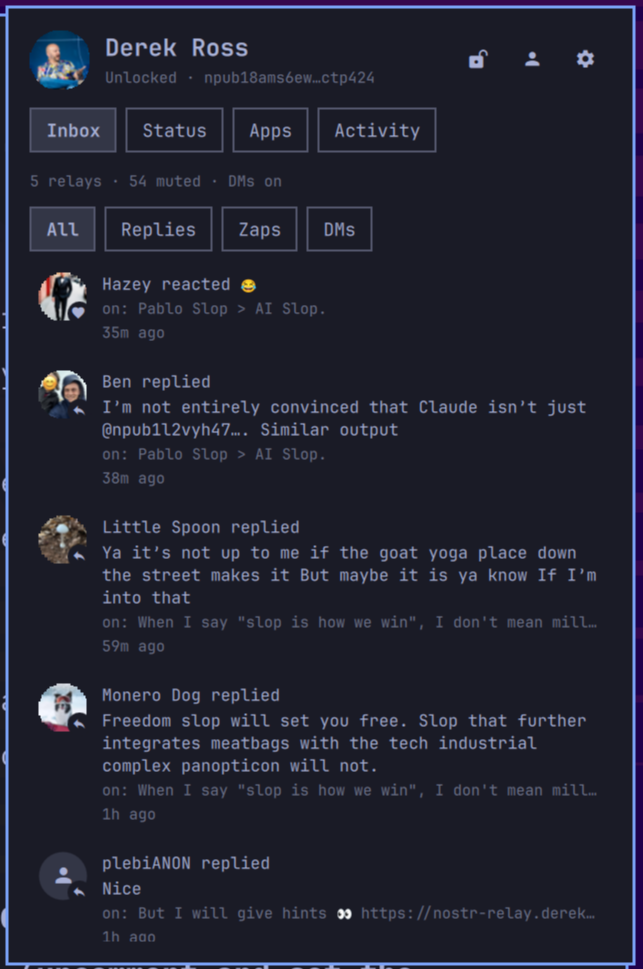
Replies, mentions, reposts, reactions, zaps and NIP-17 DMs land in an Inbox with filters and an unread dot on the gem, and as desktop popups with avatars. The mute list is honored, private entries included. A zap is only shown after the zap request checks out and its amount matches the invoice.
Status
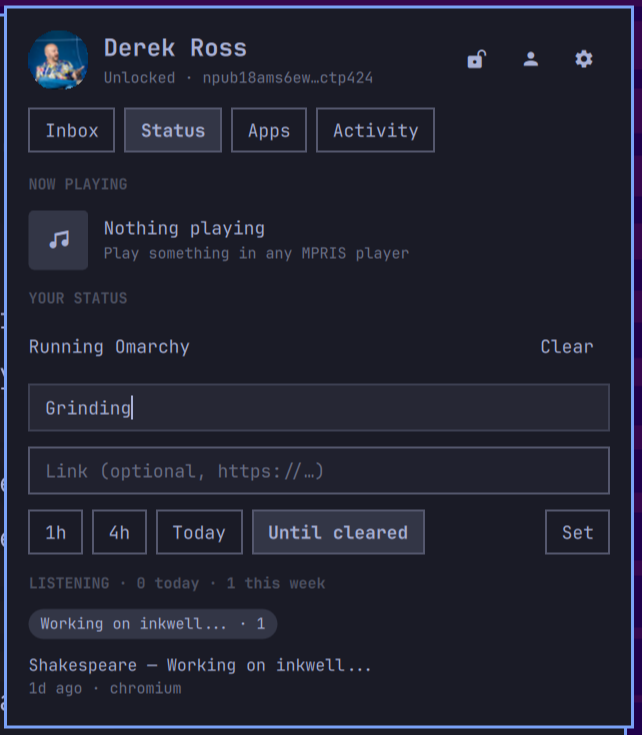
The status module publishes NIP-38 statuses. Now playing comes from Spotify, a browser, mpv or any MPRIS player, with a link to the song, and clears on pause. I can set a status by hand with an expiry. Automatic ones switch on if wanted: In a meeting during khal events, Away while the screen is locked, Focusing during Do Not Disturb. It keeps a local listening history and can publish scrobbles as kind 1073, a draft NIP that grew out of noscrobble.
Holding a key carefully
Opal holds the nsec, so it is built to be careful about it.
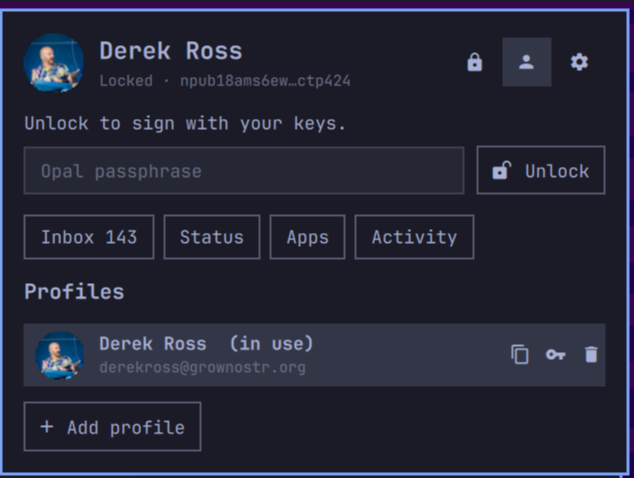
- Keys go into the system keyring only as NIP-49 ncryptsec, encrypted with a passphrase that has to pass a strength check.
- Keys are wiped from memory on lock: after a timeout, when the screen locks, and before suspend. Only my own approvals count as activity, so an app cannot keep it unlocked.
- Core dumps are off, and other processes cannot read the daemon's memory. The systemd unit has no capabilities, a seccomp filter, and a home it can only write its own directories in.
- Changes that weaken protection, like full trust for an app or turning auto-lock off, need the passphrase.
- The installer records the hash of every file it writes and only replaces or removes what it can prove is its own. Prebuilt binaries are accepted only if they match a hash pinned in the checkout.
Together
Opal is what makes Carnelian painless: Carnelian pairs with it once, and every article signature shows up as a dialog with the article in it. Peridot uses it to sign the encrypted settings it syncs between my computers. Both have their own articles.
Install
omarchy plugin add https://github.com/derekross/opal.git --enable
~/.config/omarchy/plugins/derekross.opal/dist/install.sh
Omarchy plugins only copy files, so the second line installs the daemon, builds it if Rust is there or downloads a pinned release if not, enables the user service, and puts the gem in the bar. Click it to add a key, or to watch someone's notifications with just an npub.
Opal is the gem that started the row in my bar. MIT licensed, Rust, version 0.3.1 as I write this, at github.com/derekross/opal.